
Upgrade to Pro
Forktastic Pro unlocks unlimited recipe imports, Photo Match, voice control in Cook Mode, PDF cookbooks, and Family Sharing. See Free vs Pro for the full feature breakdown.
This page covers how to actually subscribe.
Open the paywall
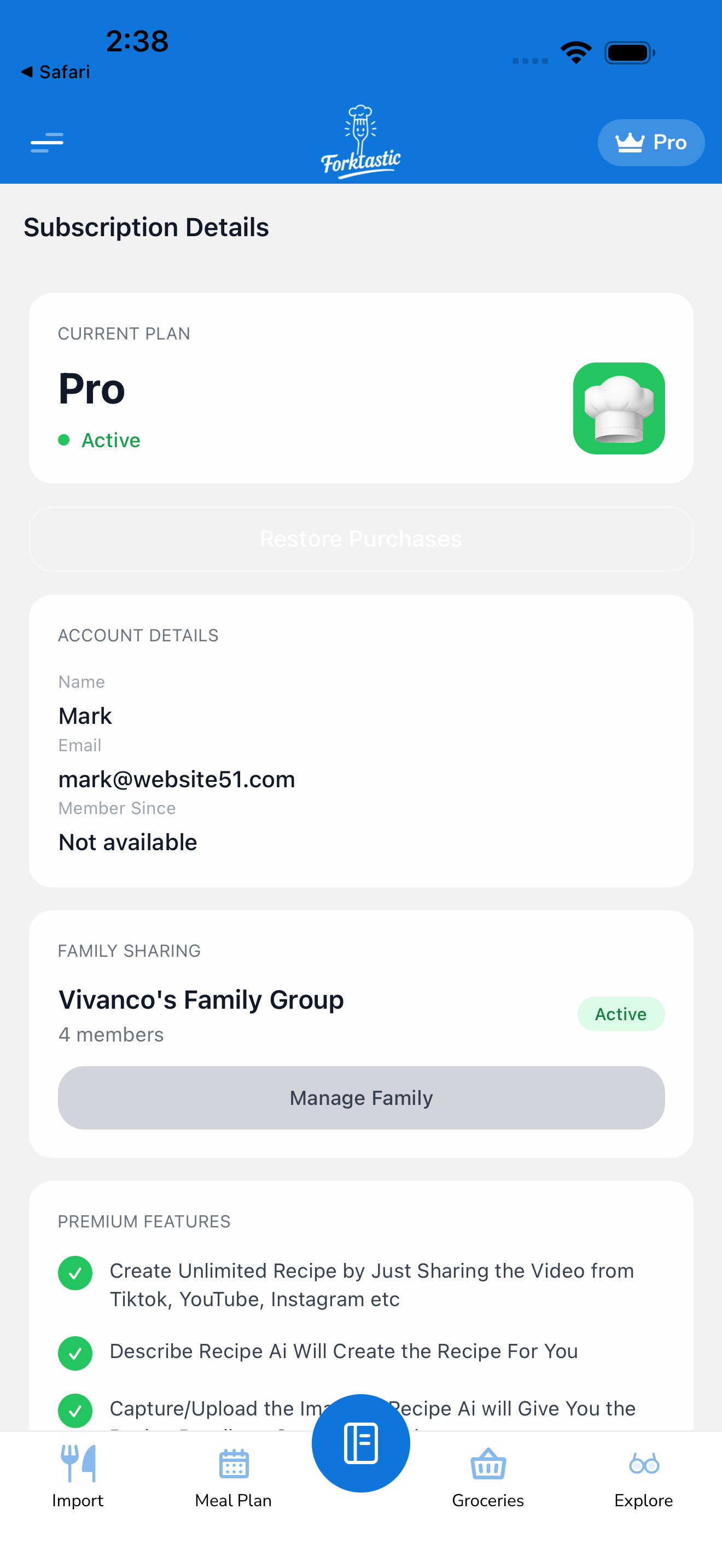
The paywall opens from a few places:
- Options → Subscription details → Upgrade to Pro — explicit upgrade button
- Hitting a free-tier limit — e.g., trying to import a 6th recipe on free, the paywall opens automatically
- After onboarding — the paywall is shown once at the end of onboarding
- From any Pro feature — tapping into Photo Match or AI image generation without Pro opens the paywall
Pick a plan
The paywall shows two main plans:
- Monthly — billed monthly, cancel anytime
- Annual — billed once per year, significantly discounted vs. monthly (typically 35–45% cheaper)
Pricing is displayed in your local currency. The exact prices vary by region and may change; the paywall always shows the current prices.
A short free trial (usually 7 days) is offered to new subscribers. Trial → annual is the most common path; you get a week to test all Pro features before any charge.
Tap a plan to select it.
Complete the purchase
The checkout flow depends on your platform:
iOS
- Tap Continue on the chosen plan.
- The native Apple In-App Purchase sheet opens.
- Confirm with Face ID, Touch ID, or your Apple ID password.
- Apple processes the purchase. You return to Forktastic with Pro active.
iOS subscriptions are billed to your Apple ID’s payment method. You can change or cancel anytime in iOS Settings → Apple ID → Subscriptions.
Android
- Tap Continue.
- The native Google Play purchase sheet opens.
- Confirm with your Google account password / biometrics.
- Google processes the purchase.
Android subscriptions are billed to your Google account’s payment method. You can manage in Play Store → Account → Subscriptions.
Web
- Tap Continue.
- The web checkout opens (Stripe-powered).
- Enter your payment details — credit/debit card, Apple Pay, or Google Pay (depending on availability).
- Confirm the purchase.
Web subscriptions are billed by Stripe via Forktastic. You manage them at app.forktastic.com/account/subscription or in Options → Subscription details.
Pro activates immediately
After successful checkout, Pro is active across all devices signed into your Forktastic account, immediately. Try a Pro feature (Photo Match, family invite) — it should work without the paywall.
If Pro doesn’t seem active, see Restore purchases.
Free trial details
If you took the free trial:
- The trial period is the duration shown on the paywall (typically 7 days, sometimes longer for promotions).
- During the trial, you have full Pro access.
- At the end of the trial, you’re charged automatically for the chosen plan (monthly or annual). You can avoid the charge by cancelling at least 24 hours before the trial ends (Apple’s policy on iOS; Google’s similar for Android; web 1-hour minimum).
- You can use Pro for the full trial even if you cancel — cancellation prevents the next billing, not the current trial period.
To cancel a trial, see Cancel.
Family sharing implications
Forktastic Pro is per-account. If you subscribe and you want family members to use Pro features in their own accounts, they each need their own subscription.
However: when you subscribe to Pro and create a family group, family members can access what you’ve shared (cookbooks, recipes) without needing Pro themselves. They just can’t use Pro features on their own (their own imports beyond 5, their own Photo Match, etc.).
See Family Sharing and Free vs Pro.
What’s Apple’s / Google’s cut?
For transparency: Apple and Google take 15–30% of subscription revenue depending on tier and term. The web subscription (Stripe) doesn’t have an app-store cut, so Forktastic may offer a slightly lower price on web — check the paywall for current pricing in each platform.
Related
- Free vs Pro — what Pro includes
- Manage your subscription
- Cancel
- Restore purchases