
Create your account
You can create a Forktastic account in three ways:
- Email and password — works on every platform.
- Sign in with Apple — recommended on iOS; uses your Apple ID and can hide your real email.
- Sign in with Google — uses your Google account.
All three methods give you the same account. You can later add a password to a social account, or vice versa, from Options → Account settings.
Sign up with email
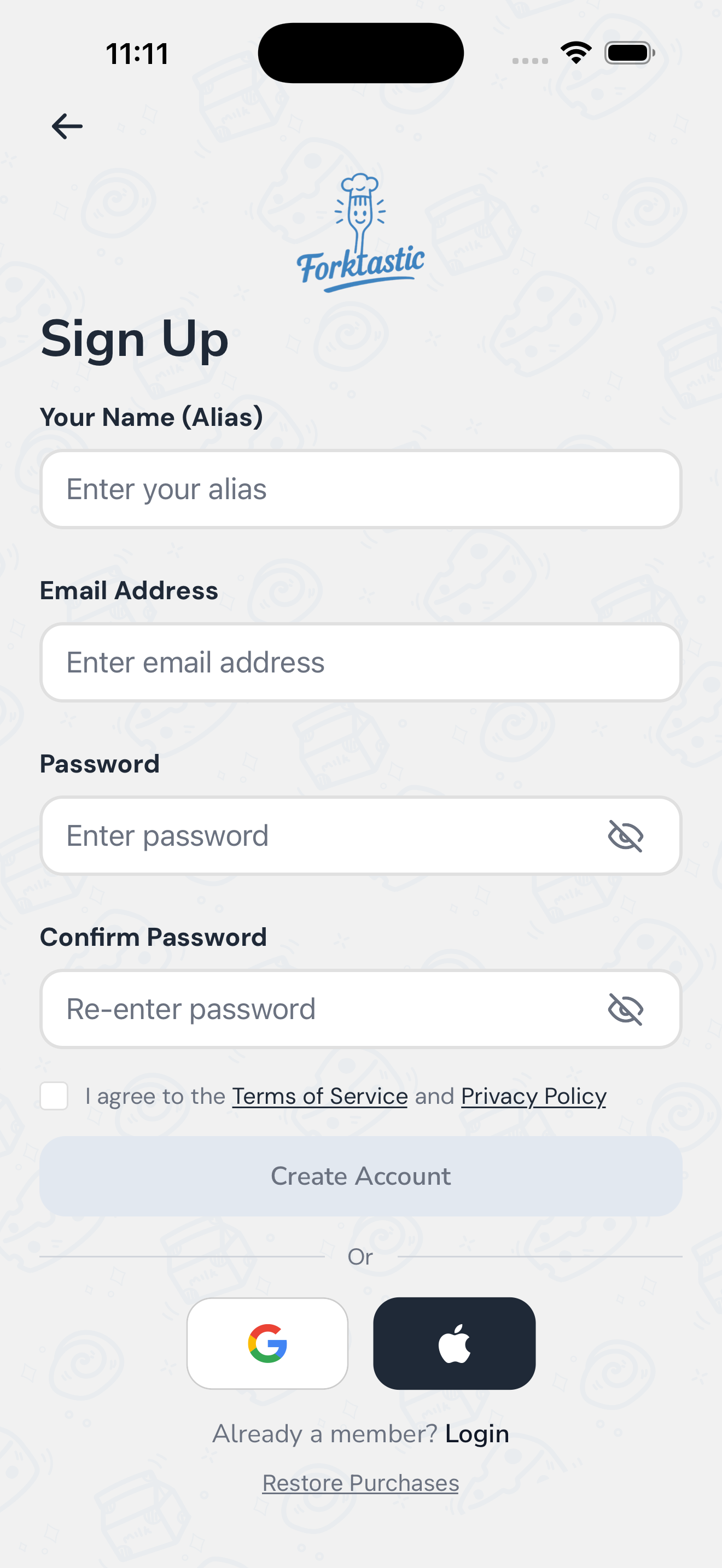
- Open the app. On the welcome screen, tap Sign up.
- Enter your email address and a password (at least 8 characters).
- Read and accept the Terms of Service and Privacy Policy.
- Tap Sign up.
- Check your inbox for a confirmation email and tap the link inside. The link opens the Forktastic app (or, on the web, a confirmation page).
Once your email is confirmed, you’re signed in. Forktastic launches the onboarding walkthrough to learn a little about your cooking goals.
Sign up with Apple
This is the fastest path on iOS.
- On the welcome screen, tap Continue with Apple.
- Confirm with Face ID, Touch ID, or your Apple ID password.
- Choose whether to share your real email or hide it (Apple will create a relay address that forwards to your real inbox).
- Tap Continue.
Apple sign-in skips the email confirmation step. You go straight into onboarding.
Sign up with Google
- On the welcome screen, tap Continue with Google.
- Choose the Google account you want to use.
- Confirm the requested permissions.
Like Apple sign-in, Google skips email confirmation.
Already have an account?
Tap Log in on the welcome screen instead. Enter the email and password (or use Apple/Google) you signed up with.
If you’ve forgotten your password, see Reset a forgotten password.
What happens after sign-up
A new account drops you into the onboarding walkthrough — a short questionnaire about your cooking goals, dietary preferences, and which features matter most to you. After that, Forktastic shows the paywall once (you can skip it) and lands you on the Cookbook tab, ready to import your first recipe.
On the web
The web app is at app.forktastic.com. Sign-up works the same way as on mobile, with one note: OAuth (Apple / Google) on the web redirects to the provider, then back to Forktastic. We persist your in-progress onboarding state across the redirect, so you won’t lose your place.
Privacy and data
Forktastic stores your email, recipes, cookbooks, and meal plans in our database so they sync across devices. You can delete your account and all associated data at any time from Options → Account settings → Delete account. See Delete your account for details.
Troubleshooting
- Didn’t get the confirmation email? Check spam, then see Email confirmation not arriving.
- “That email is already in use”? Try signing in instead, or use Reset a forgotten password.
- Apple / Google sign-in fails? Make sure you’re on iOS 13+ (Apple) or have a Google account configured on your device.