
Import from the in-app browser
The in-app browser is a built-in web view that lets you navigate to a recipe page, scroll around, and decide whether to import it — all without leaving Forktastic. When you’re ready, one tap saves the recipe to your cookbook.
This is the right method when:
- You’re not sure if a page has a recipe worth saving.
- The page has multiple recipes and you want to pick one.
- You want to read the blog post or watch the video before deciding.
If you already know you want the recipe and have the URL, Import from a URL is faster.
Step by step
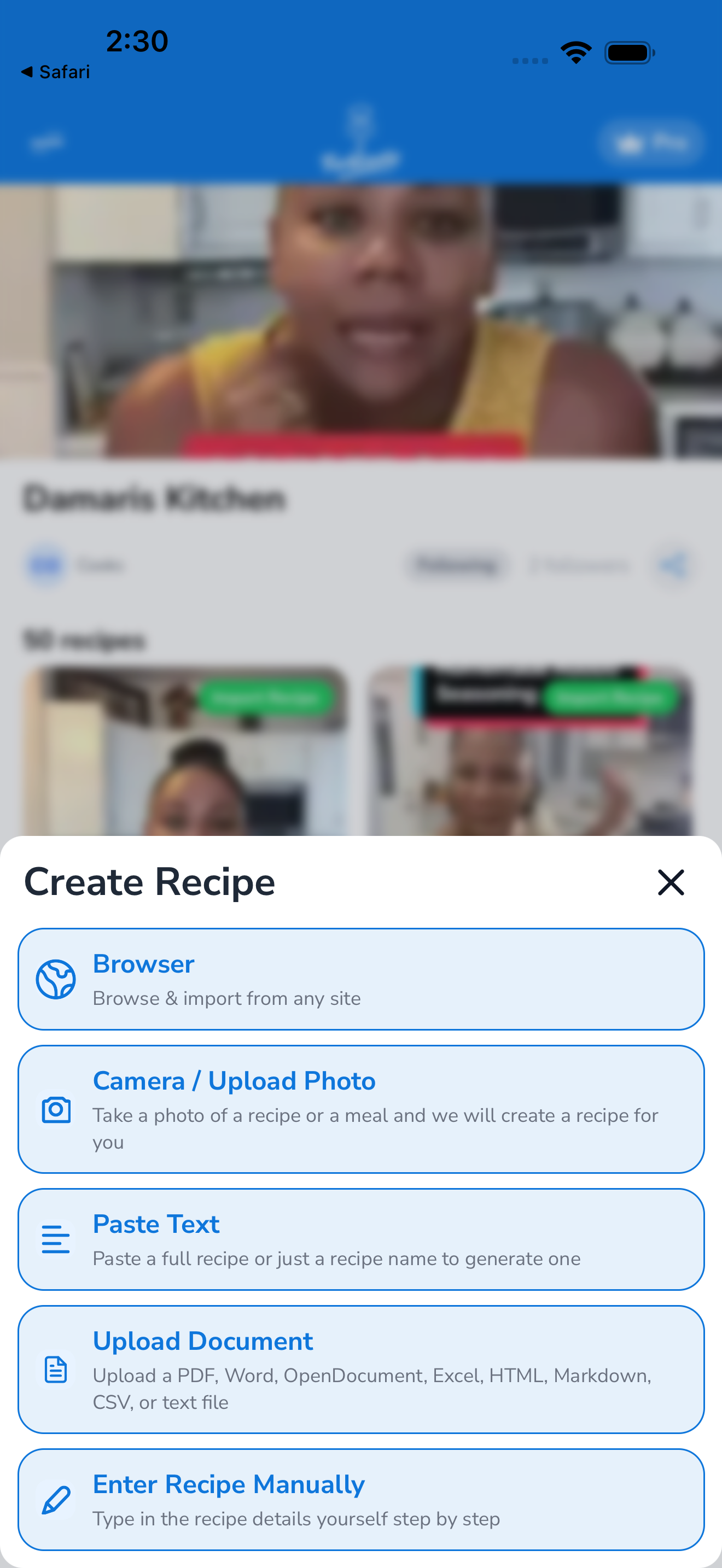
- Tap the Import tab at the bottom of the screen.
- Tap Browse a website (or In-app browser — the label depends on your app version).
- A web browser opens inside Forktastic. Type or paste a URL in the address bar, or use the search box to look something up.
- Browse normally — tap links, scroll, watch videos. Bookmarks and history are kept private to this session.
- When you’re on a page with a recipe you want to save, tap the Import this page button (usually pinned to the bottom of the screen).
- Forktastic extracts the recipe — same AI flow as URL import, takes 5–15 seconds.
- Review the extracted recipe, fix anything that needs fixing, choose a cookbook, and tap Save.
Tips
- Scroll past popups. Cookie banners and email-signup popups don’t affect extraction — Forktastic reads the page’s underlying HTML, not the visible content.
- Multiple recipes on one page? The AI picks the most prominent recipe. If that’s the wrong one, copy the specific recipe’s link and use Import from a URL instead.
- Login walls. The in-app browser can sign in to most sites (you’ll be prompted to log in normally). Forktastic doesn’t store the session beyond your browsing — when you close the in-app browser, you’re logged out again.
What gets imported vs. what doesn’t
Same as URL import: the recipe’s title, ingredients, instructions, prep/cook time, servings, and (calculated) nutrition. The cover image is also pulled in where possible.
What doesn’t get imported:
- Reader comments on the page
- The author’s blog post around the recipe
- Embedded videos (only the recipe data is extracted)
Free tier limit
In-app browser imports count against your free 5-recipe quota, same as every other import method. See Free vs Pro.
Related
- Import from a URL — faster when you already know what to import
- Import from a video — for TikTok / YouTube / Instagram
- Edit a recipe — fix extraction issues after saving