
Rename or delete a cookbook
Cookbooks aren’t precious — rename freely, delete when you’ve outgrown a category. The recipes inside are managed separately, so deleting a cookbook never deletes recipes.
Rename a cookbook
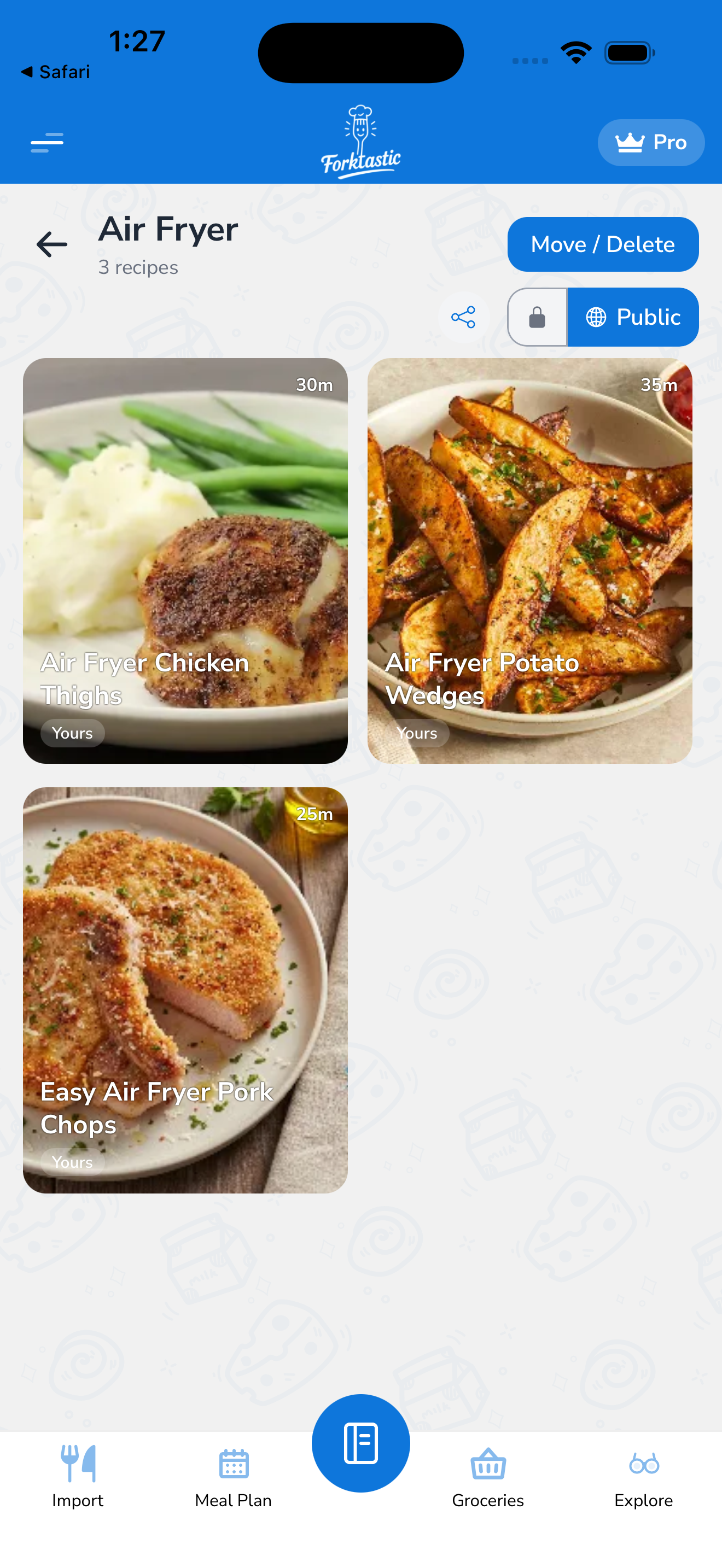
- Open the cookbook.
- Tap the settings icon (gear) in the top-right, or tap the cookbook title to edit inline.
- Update the name, cover image, or color.
- Tap Save.
Or, faster, from the Cookbook tab:
- Long-press the cookbook tile.
- Tap Rename in the action menu.
- Type the new name.
- Tap Save.
The change is immediate and syncs to family members (if the cookbook is shared) right away.
Change the cover image
Same path as renaming:
- Open the cookbook → tap settings.
- Tap the cover image slot.
- Choose Take photo, Choose from library, or Use a Forktastic preset.
- Save.
Delete a cookbook
- Open the cookbook.
- Tap the settings icon → Delete cookbook.
- Confirm.
Or from the Cookbook tab:
- Long-press the cookbook tile.
- Tap Delete.
- Confirm.
What happens to recipes when you delete
This is the most-asked question — Forktastic never deletes recipes when you delete a cookbook.
When you delete a cookbook:
- The cookbook disappears from your Cookbook tab.
- Recipes that were only in that cookbook are moved to Unorganized. They’re not lost; they’re just back in the inbox.
- Recipes that were in multiple cookbooks keep their other cookbook memberships and don’t move.
To actually delete a recipe (not just remove it from a cookbook), open the recipe and tap More → Delete. See View a recipe for the recipe screen actions.
Deleting a shared cookbook
If the cookbook is shared with your family group:
- Deleting it removes it from every family member’s view.
- The recipes follow the same rule above (single-cookbook → moved to Unorganized; multi-cookbook → keep memberships).
- Family members lose access to those recipes if their access was via the shared cookbook. If a family member added the recipe to their own personal cookbook, their copy is untouched.
If you want to keep the cookbook but stop sharing it, see Share cookbooks and recipes with family for the unshare flow.
Recovering a deleted cookbook
There’s no undo — once confirmed, the cookbook is gone immediately. The recipes are recoverable (they’re in Unorganized), but the cookbook itself and its name/color/cover are not.
If you accidentally deleted a cookbook, you can:
- Create a new one with the same name.
- Open Unorganized.
- Use the bulk picker to add the recipes back (see Add recipes to a cookbook).
It’s a few minutes of work; the recipes are safe.
The “Unorganized” cookbook
You can rename Unorganized (e.g., to “Inbox”) but you cannot delete it — Forktastic always needs a fallback location for imports.
Related
- Create a cookbook
- Add recipes to a cookbook — including moving between cookbooks
- Share cookbooks and recipes with family — sharing-specific deletion notes