
Free vs Pro
Forktastic has two tiers: a free tier that covers everyday browsing, and Forktastic Pro, a subscription that unlocks unlimited imports, AI-powered features, Cook Mode voice control, PDF cookbooks, and Family Sharing.
This page lists what’s in each tier and explains when you’ll see the upgrade prompt.
At a glance
| Feature | Free | Pro |
|---|---|---|
| Browse and view recipes | ✅ | ✅ |
| Browse Explore tab (trending cookbooks) | ✅ | ✅ |
| Save recipes (up to 5) | ✅ | Unlimited |
| Import from URL, browser, photo, text | First 5 free | Unlimited |
| Create cookbooks | ✅ | ✅ |
| Grocery list | ✅ | ✅ |
| Meal plan | ✅ | ✅ |
| Photo Match (AI ingredient ID from food photos) | — | ✅ |
| PDF cookbook generation | — | ✅ |
| Cook Mode voice control | — | ✅ |
| Family Sharing (shared cookbooks + activity feed) | — | ✅ |
| Apple Health meal logging | ✅ | ✅ |
The exact limits and feature availability can change as the app evolves. The in-app paywall always shows the current set of Pro benefits.
How the paywall works
The Pro paywall appears in one of three situations:
-
After onboarding. New users see the paywall once at the end of the onboarding walkthrough. You can tap Skip to dismiss it and continue on the free tier.
-
When you hit a free-tier limit. If you try to import a 6th recipe on the free tier, or try to start a feature like Photo Match or PDF cookbooks, the paywall opens with a message about that specific feature.
-
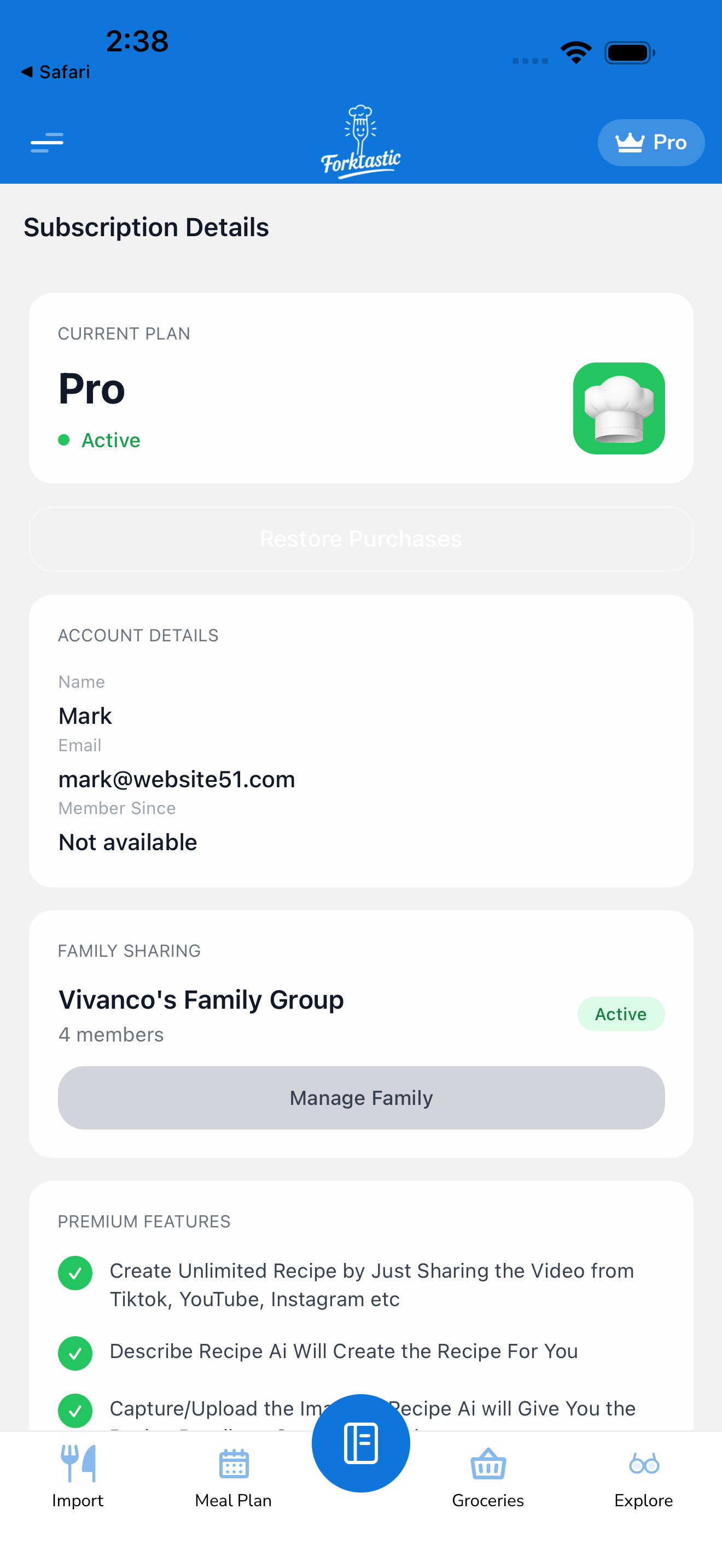
From your account screen. You can open the paywall any time from Options → Subscription details → Upgrade to Pro.
Plans and pricing
Pricing is shown in the paywall in your local currency. Forktastic offers:
- Monthly subscription — pay month-to-month, cancel anytime
- Annual subscription — discounted vs monthly, billed once per year
- A short free trial is sometimes offered at the start
Billing is handled by Apple (App Store) on iOS, Google (Play Store) on Android, and Stripe on the web. Forktastic doesn’t store your payment details directly.
Cancelling, restoring, and switching
- Cancel: Open Options → Subscription details, or manage your subscription directly in the App Store (iOS) / Play Store (Android) / your account dashboard (web). Cancellations take effect at the end of the current billing period — you keep Pro access until then.
- Restore purchases: If you’ve reinstalled the app or switched devices, open Options → Subscription details → Restore purchases to re-sync your existing subscription. See Restore purchases not working if it doesn’t pick up.
- Switch from monthly to annual (or vice versa): Cancel the existing plan in your store account first, then subscribe to the new one through the in-app paywall.
Family and Pro
Family Sharing is a Pro feature. The family creator needs an active Pro subscription. Invited family members can join and use shared cookbooks even without their own Pro subscription — but to import their own new recipes beyond the free 5-recipe limit they’ll each need Pro too.
See Family Sharing for details.
Where to go next
- Subscribe now: Upgrade to Pro — opens the paywall.
- Compare features in depth: Subscription section.
- Just looking? Keep using the free tier — most of the app works without Pro.