
Cancel your subscription
You can cancel Forktastic Pro at any time. Cancellation takes effect at the end of your current billing period — you keep Pro access until then, no immediate cutoff.
How to cancel depends on where you originally subscribed (Apple, Google, or web/Stripe).
Where you subscribed determines where you cancel
If you’re not sure where you subscribed:
- Open Options → Subscription details.
- Look at the Source field. It says one of:
- Apple → cancel via the App Store
- Google Play → cancel via Google Play
- Stripe (web) → cancel via Forktastic web app
You can’t cancel an Apple subscription from inside Forktastic — Apple requires the cancellation be done in the App Store’s subscription management. Same for Google Play.
Cancel on iOS
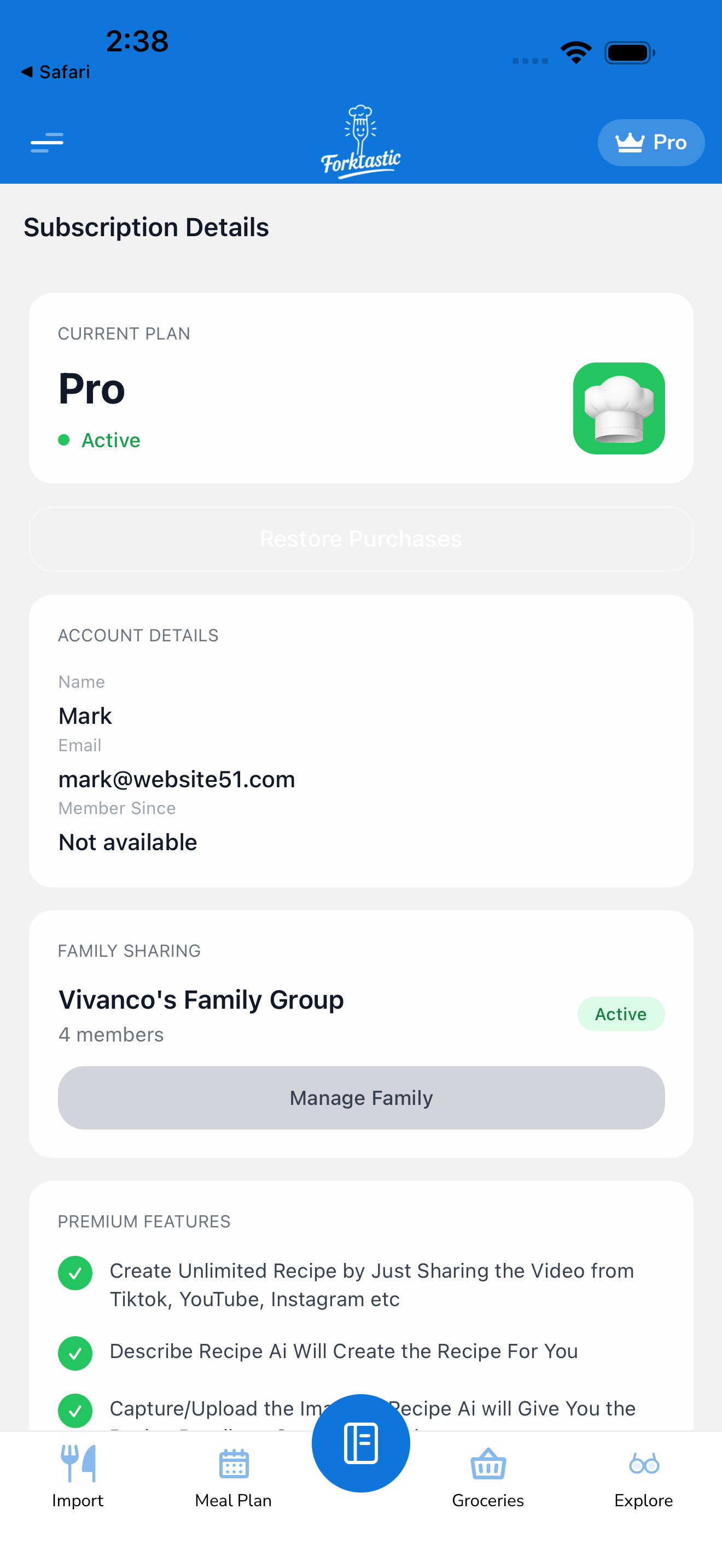
- Open Options → Subscription details → Manage subscription. This deep-links to iOS subscription management.
- Or directly: iOS Settings → Your Apple ID → Subscriptions → Forktastic Pro.
- Tap Cancel Subscription at the bottom of the page.
- Confirm.
You’ll see a confirmation: “Subscription will remain active until [renewal date].” After that date, your subscription ends and you’re moved to the free tier.
Cancel on Android
- Open Options → Subscription details → Manage subscription. Deep-links to Google Play.
- Or directly: Play Store → Account → Subscriptions → Forktastic Pro.
- Tap Cancel subscription.
- Confirm.
Same behavior: stays active until the next renewal date, then ends.
Cancel on the web
- Open Forktastic on
app.forktastic.com. - Options → Subscription details → Manage subscription. Opens the Stripe customer portal.
- Tap Cancel plan.
- Confirm.
Same behavior: active until end of billing period.
Cancel during a free trial
If you’re in the free trial period:
- Cancel at least 24 hours before the trial ends (Apple’s policy, similar for Google) to avoid being charged.
- Cancellation during trial → you still have access until the trial’s end date, then you’re moved to free tier without a charge.
The cancel flow is the same as above.
What happens to your data when you cancel
Cancellation does NOT delete any of your data. All your recipes, cookbooks, meal plans, grocery lists, family group, and account settings remain exactly as they were.
What changes:
-
Pro features turn off at the end of your billing period:
- Imports beyond 5 stop working (you can still view all existing recipes)
- Photo Match becomes locked
- Voice control in Cook Mode becomes locked (visual Cook Mode still works)
- PDF cookbook generation becomes locked
- Family Sharing — if you were the family creator, the family group continues to exist, but you can no longer add new members. Existing members keep access until you (or they) decide to remove access.
-
Family group status — if you cancel and were a family creator, the family group enters a grace state. Existing members keep their shared content for 30 days; after that, sharing stops unless you re-subscribe or transfer ownership to a member with Pro.
Resubscribing after cancel
You can resubscribe at any time. Pro features re-activate immediately.
Your data is exactly where you left it. Cancellation isn’t destructive.
Cancellation vs deletion
These are different:
- Cancel — stop the Pro subscription; keep your account and all data.
- Delete account — permanently remove your account and all data. See Delete your account.
If you want to fully leave Forktastic, do both (or just delete the account, which auto-cancels the subscription).
Refunds
Forktastic’s refund policy follows the app stores’.
- Apple: refunds are issued at Apple’s discretion via reportaproblem.apple.com.
- Google: refunds within 48 hours of purchase via Google Play. Beyond 48 hours, contact Forktastic support.
- Stripe (web): refunds within 7 days of purchase via Forktastic support (
support@forktastic.com).
For refund requests, email support@forktastic.com with your purchase details.
Related
- Upgrade to Pro
- Manage your subscription
- Delete your account — for full account removal