
Change your language
Forktastic is available in six languages: English, Español (Spanish), Português (Portuguese), Français (French), Deutsch (German), and العربية (Arabic, right-to-left). The language setting affects every text element in the app — menus, buttons, recipe interfaces, error messages, voice commands.
Change your language
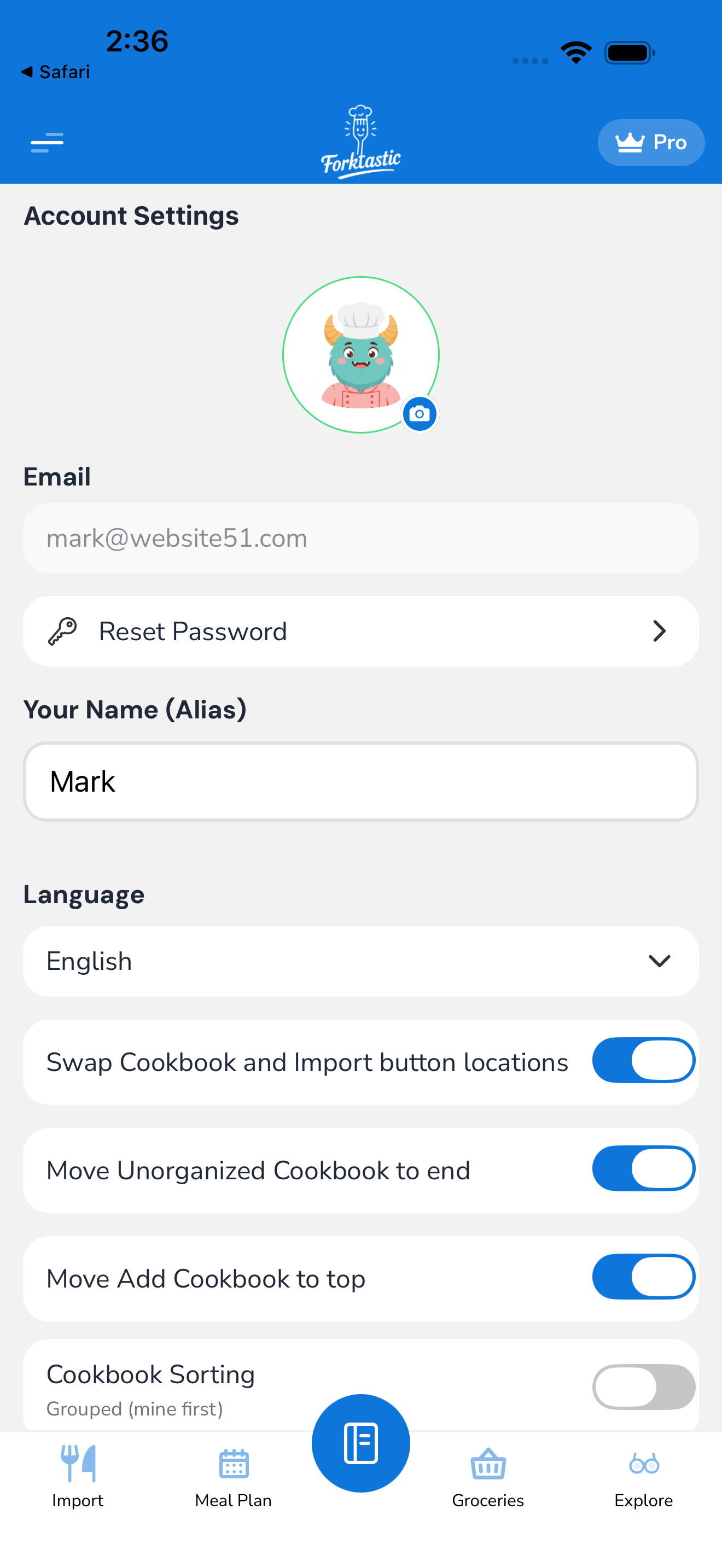
- Open the Options tab.
- Tap Account settings → Language.
- Pick your language from the list.
- Forktastic applies the change immediately. The app re-renders with the new language without needing a restart.
The setting is per-Forktastic-account, not per-device. If you switch languages on your phone, your iPad signs in to the same account and shows the same language.
What gets translated
- Every UI element — menus, buttons, tab names, settings screens
- Voice command recognition — Cook Mode listens for commands in your set language
- System prompts and error messages
- Onboarding flow
- Help texts and explanations
What doesn’t get translated
- Recipe content — recipe titles, ingredients, and instructions stay in their original language as authored. A recipe imported from a Spanish blog stays in Spanish even if your interface is English; a recipe in your cookbook authored in English stays English even if your interface is Spanish.
- User-generated text — your personal recipe notes, cookbook names, family group names. These stay as you wrote them.
- Family member names and avatars — these are user-controlled.
If you want a specific recipe translated, you can use your device’s system translation features (long-press recipe text on iOS → Translate). Forktastic doesn’t auto-translate recipe content.
Arabic (RTL)
When you switch to Arabic:
- The entire UI flips to right-to-left layout. Menus, buttons, tab bar — all mirror.
- Text content within recipes also displays right-to-left.
- Recipes originally in a left-to-right language (English, etc.) still render LTR within Arabic-context paragraphs.
If you find any UI element that doesn’t mirror correctly, please report it via Options → Suggest a feature.
Voice recognition by language
The voice control feature in Cook Mode listens in your set language. If you set Spanish, it expects Spanish commands (“siguiente”, “anterior”, etc.). The recognizer doesn’t auto-detect; it uses your account language as the input.
If you want to use English voice commands while the rest of the app is in Spanish, that’s not currently supported — voice follows the account language. Workaround: set the account to English while cooking, then back.
Number formats
Each language also pulls in regional number formatting:
- English: 1,234.56 (comma thousands, period decimal)
- Spanish / Portuguese / French / German: 1.234,56 (period thousands, comma decimal)
- Arabic: ١٬٢٣٤٫٥٦ (Arabic digits, Arabic separators) — if you want Western digits, set Account settings → Number style → Western.
Numbers in recipe quantities follow the format.
Date and time formats
Same idea — date pickers, meal plan dates, and timestamps follow your language’s regional format:
- English (US): MM/DD/YYYY
- English (UK) and most others: DD/MM/YYYY
- Arabic: dd/MM/yyyy with Arabic digits (unless overridden)
OS-level language vs Forktastic language
These are different.
- OS language (iOS Settings → General → Language & Region, Android Settings → System → Languages) controls your device’s overall language.
- Forktastic language (Forktastic Options → Account settings → Language) is independent — you can have iOS in English and Forktastic in Spanish if you want.
When you first install Forktastic, it picks a default based on your OS language. After that, the Forktastic setting is independent.
Documentation site
These docs (the site you’re reading) are also available in all six languages. The language picker is at the top-right of every page. Translated content matches the app’s language preference where possible, but UI labels in screenshots may stay in English in the initial documentation rollout — they’ll be updated to match localized screenshots as those become available.
Related
- Switch theme — light/dark/system
- Voice commands — uses your language
- Settings & account — full settings list