
Follow a cookbook
Following a public cookbook is like subscribing — when the creator adds a new recipe to that cookbook, you see it in your Explore feed (and optionally get a push notification). Following is one-way: the creator doesn’t see your followed list, just an aggregate follower count.
Follow a cookbook
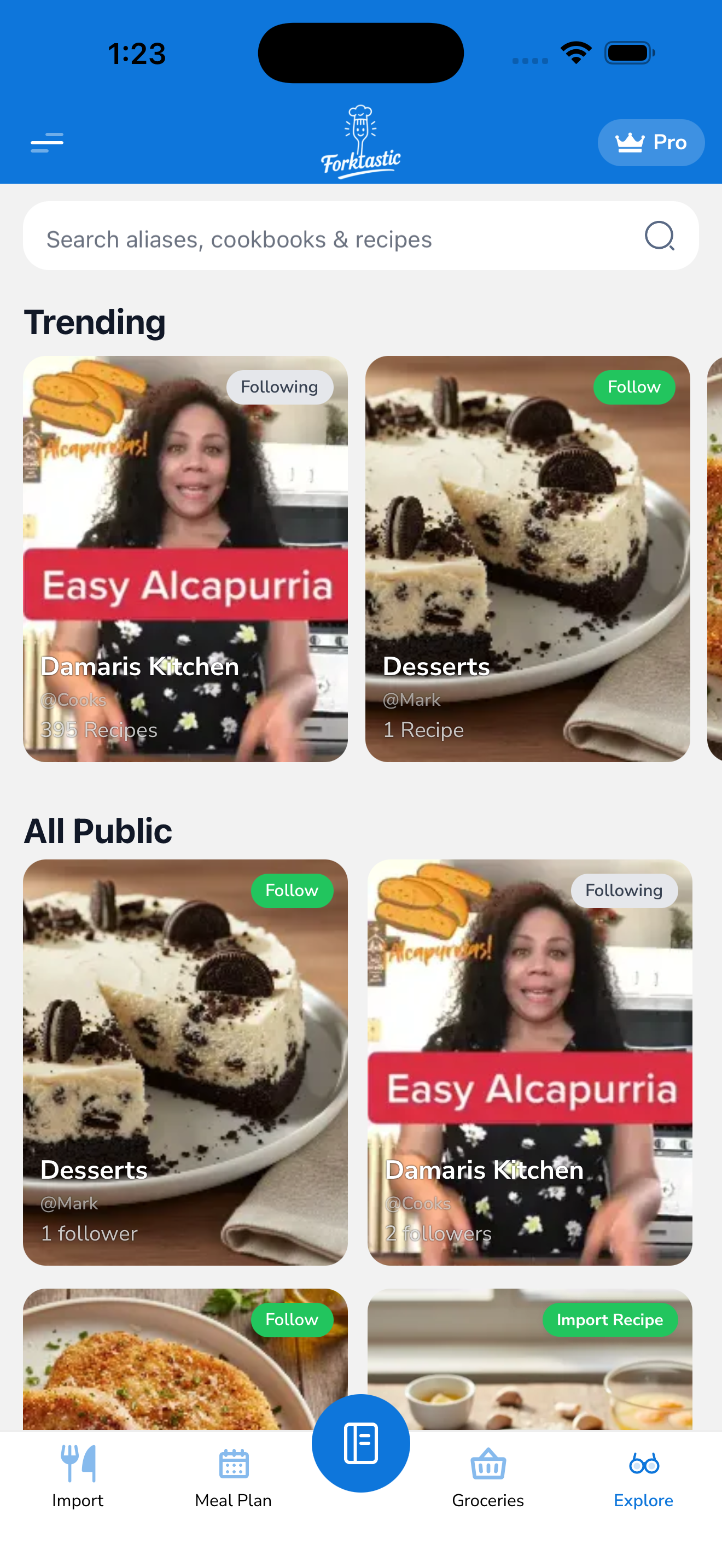
- Open the Explore tab.
- Find a cookbook you want to follow (via trending, search, or category filter).
- Tap the cookbook to open it.
- Tap Follow in the cookbook header.
That’s it. The button changes to Following.
Where followed cookbooks appear
Followed cookbooks live in three places:
- Explore → Following tab — a chronological feed of new recipes from cookbooks you follow. Sorted newest first.
- Your Cookbook tab → “Following” section — a list of all cookbooks you currently follow. Tap any to open it.
- Notifications — if you have push notifications enabled, you get a notification when a creator you follow adds a new recipe (rate-limited so creators with many uploads don’t spam you).
Save a recipe from a followed cookbook
Saving works the same as from any public recipe:
- Open the recipe (from your Following feed or from the cookbook page).
- Tap Save to my cookbook.
- Pick one of your own cookbooks.
- Tap Save.
The recipe is now in your private cookbook. The creator gets a notification that someone saved it (anonymous — not your name).
Unfollow
- Open the cookbook.
- Tap Following (the button you used to follow with).
- Confirm Unfollow.
You’ll no longer see new recipes from that cookbook in your Following feed. The cookbook stays in Explore — you can find it again later if you change your mind.
To unfollow multiple cookbooks at once:
- Open Cookbook tab → Following section.
- Tap Edit in the top-right.
- Tap the − button on any cookbook you want to unfollow.
- Tap Done.
Follower limits
Free tier: follow up to 10 cookbooks. Pro: unlimited.
If you’re at the free limit, the Follow button shows the limit message and offers an upgrade prompt. See Free vs Pro.
Notifications
You can control follow-related notifications in Options → Notification settings:
- New recipe from a creator you follow — default: on
- Weekly digest of follow activity — default: off
- Creator-published a new cookbook — when someone you follow starts a new cookbook
See Manage notifications for the full notification options.
Related
- Browse public cookbooks — finding cookbooks to follow
- Save a public recipe to your cookbook