
Browse public cookbooks (Explore tab)
The Explore tab is where you find recipes outside your own cookbook — trending community cookbooks, recipes by topic, food creators worth following. It’s Forktastic’s read-only side; nothing here happens in your own account until you decide to save a recipe or follow a cookbook.
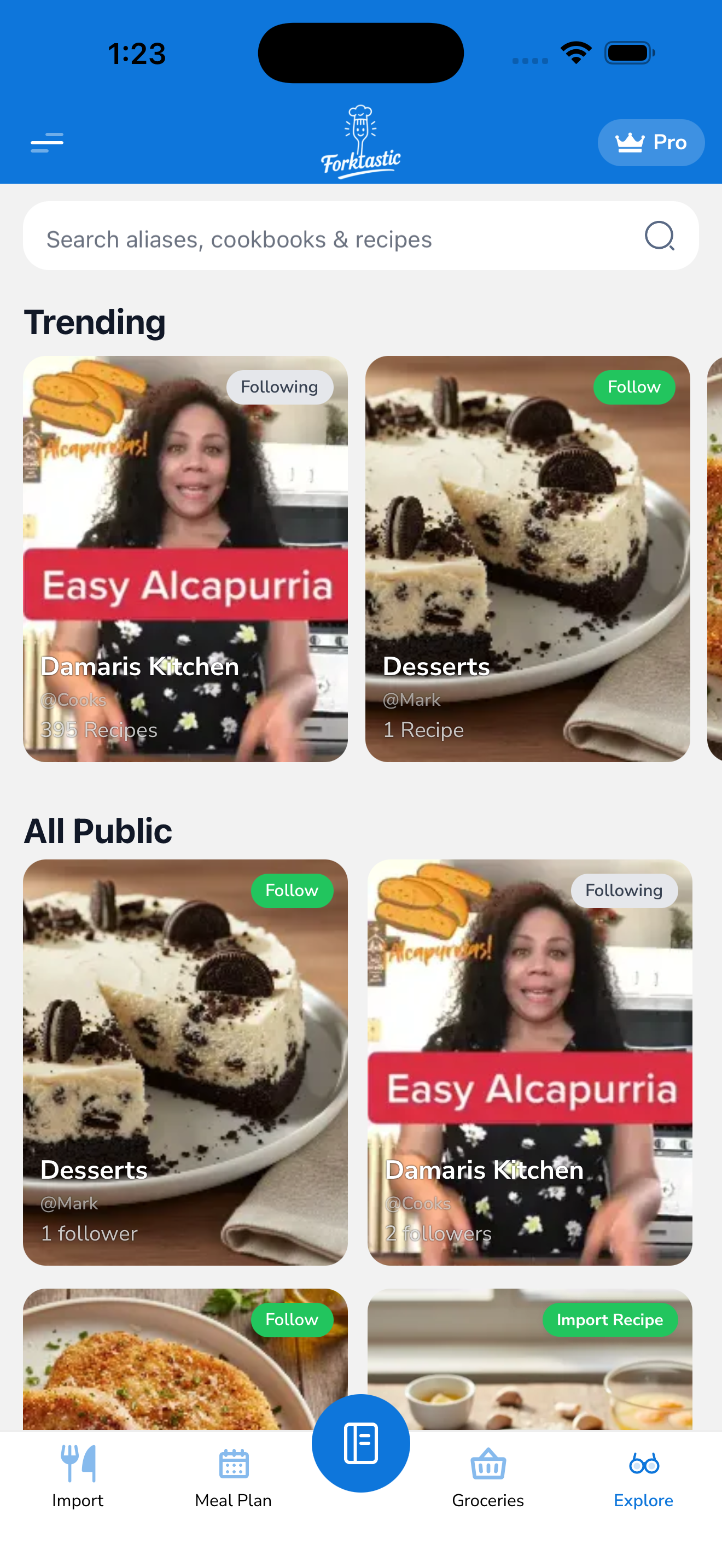
What’s on the Explore tab
The Explore tab is the fifth icon in the bottom bar. From top to bottom:
- Search bar — search across all public recipes and cookbooks.
- Trending cookbooks carousel — a rotating list of cookbooks getting a lot of attention this week. Tap any to open it.
- Category chips — quick filters like “Vegetarian”, “Quick weeknight”, “Baking”, “Healthy”, “Comfort food”.
- Featured recipes — individual recipes curated by the Forktastic team, refreshed weekly.
- Creator spotlight — a public creator profile of the week.
Search
Tap the search bar and type. Forktastic matches your query against:
- Recipe titles (“garlic butter chicken”)
- Ingredients (“zucchini” — finds every public recipe with zucchini)
- Cookbook names (“vegan dinners”)
- Creator names (“Mark V”)
Results are split into Recipes, Cookbooks, and Creators tabs. Tap any result to open it.
Filter by category
Tap a category chip (e.g., “Vegetarian”) to filter the entire Explore tab to that category. Tap All at the top of the filtered view to clear.
You can combine categories with search: pick “Vegetarian”, then search “pasta”, and you’ll get vegetarian pasta recipes.
Browse a public cookbook
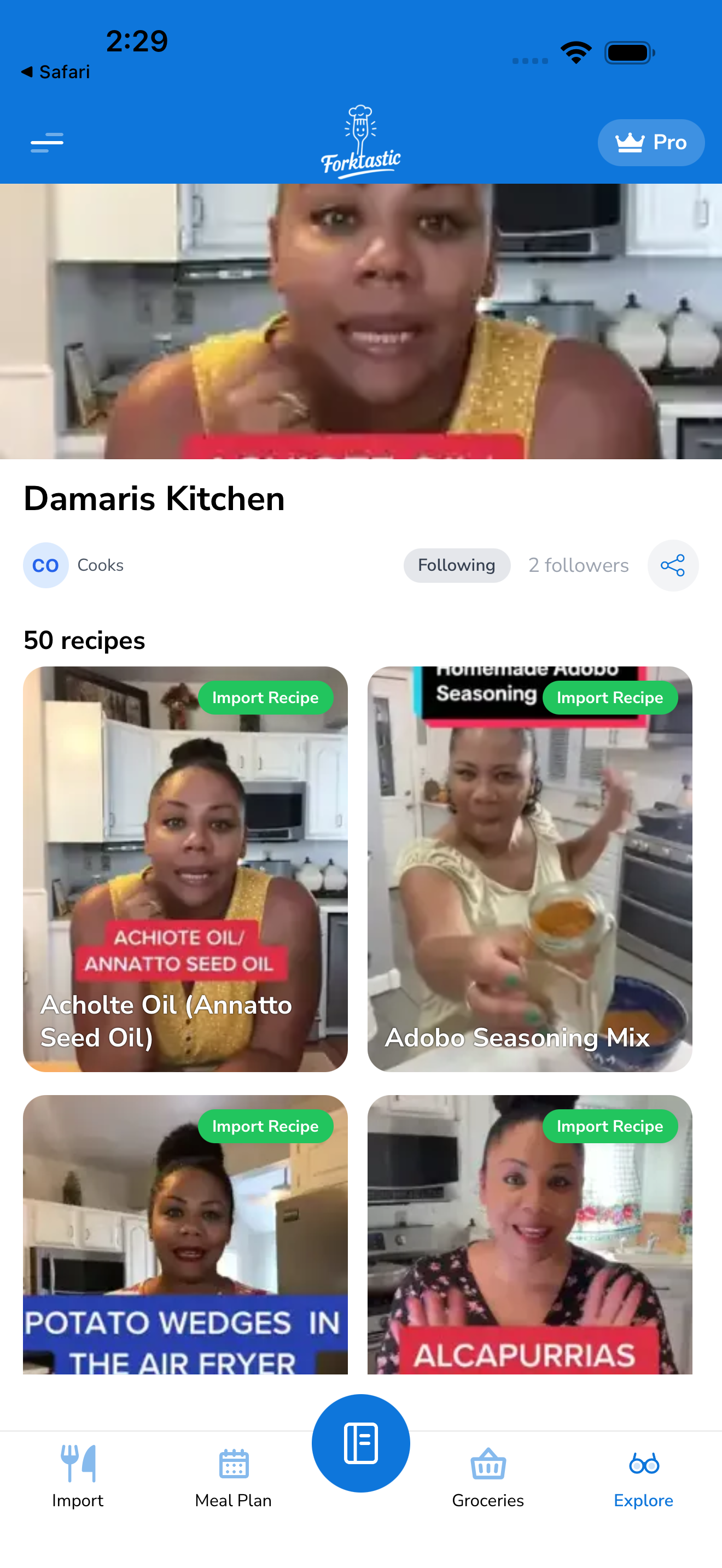
Tap any public cookbook in Explore to open it. The public cookbook view shows:
- Cookbook name and cover image
- Creator name and avatar
- Recipe count and follower count
- Follow button — see Follow a cookbook
- Description — what the cookbook is about
- Recipe list — every recipe in the cookbook
You can open and view any recipe in a public cookbook without saving it. The recipe screen looks the same as one of your own, with one change: the action bar has a Save to my cookbook button instead of the family-share / edit / delete actions.
Save a public recipe to your cookbook
- Open the recipe in Explore.
- Tap Save to my cookbook.
- Pick which of your cookbooks to save it into.
- Tap Save.
The recipe is copied into your account with the original creator’s name attributed. It now counts toward your free-tier 5-recipe limit (same as any import).
Public profile vs your private cookbooks
Making your own cookbooks public (so others can find you in Explore) is opt-in. By default, your cookbooks are private to you and your family. You can make individual cookbooks public from the cookbook settings — see the Share section in Share cookbooks and recipes with family (note: family-share and public-share are different toggles).
Most users keep all their cookbooks private. Publishing a public cookbook is a deliberate choice for users who want to share their cooking style with the community.
Reporting content
If you find a recipe in Explore that’s spam, inappropriate, or violates someone’s rights, tap More → Report on the recipe. Forktastic reviews reports and takes appropriate action.
Related
- Follow a cookbook — keep tabs on a creator
- Importing recipes — other ways to grow your cookbook
- Save a public recipe — section above