
How to import a recipe (overview)
Forktastic gives you six different ways to import a recipe, because recipes show up everywhere — on websites, on TikTok, on a printed card from your grandma, in your Notes app, or in an existing recipe app you’d like to move out of.
All six methods land in the same place: a recipe gets created in your cookbook, with the ingredients, instructions, and (where possible) nutrition extracted and structured. From there, you can edit, save to a specific cookbook, add to your meal plan, or start cooking.
This page tells you which method to use; the linked pages walk you through each one.
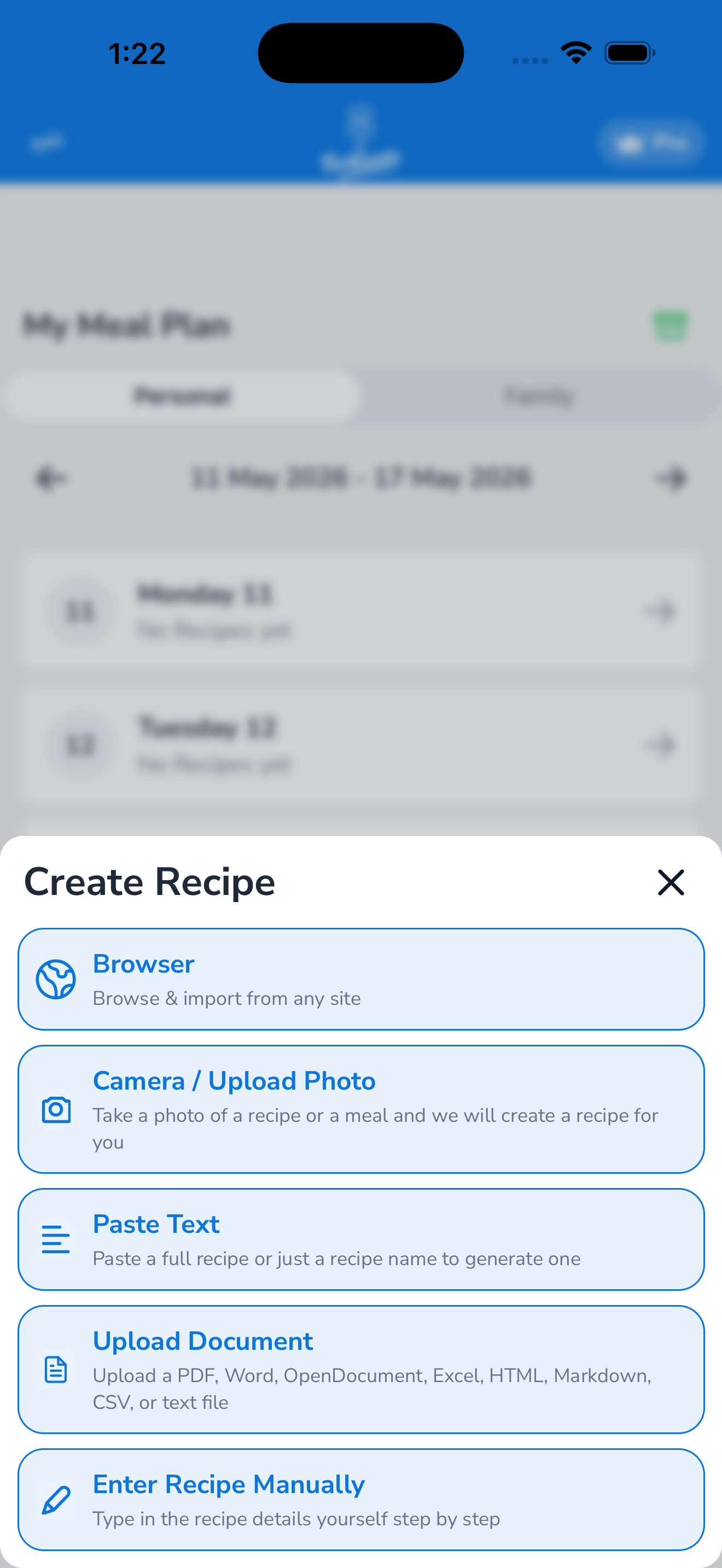
Pick the right method
| If the recipe is… | Use… |
|---|---|
| A link you can copy (TikTok, YouTube, Instagram, blog, AllRecipes, anywhere) | From a URL |
| On a website you’d rather browse first to make sure | From the in-app browser |
| On paper, a magazine page, or a screenshot in your camera roll | From a photo |
| In a TikTok / YouTube / Instagram video you want extracted | From a video |
| In your Notes app, an email, a text from a friend, or a screenshot of text | From text |
| In the Paprika recipe app | From Paprika |
How the import flow works (any method)
Every import method goes through the same three phases:
- You provide the source. A URL, a photo, a video link, some text — whichever method you picked.
- Forktastic’s AI extracts the recipe. This usually takes 5–15 seconds. The AI identifies the title, ingredients (with quantities and units), step-by-step instructions, serving count, prep/cook time, and nutrition. For photos, the AI also runs OCR to read the text from the image.
- You review and save. Forktastic shows you the extracted recipe before saving. You can edit any field, choose which cookbook to put it in, add an image, and assign categories. Tap Save to commit.
You can edit the recipe later anytime — see Edit a recipe.
Free tier limit
On the free tier you can import up to 5 recipes total. After that, the next import opens the Pro paywall. Pro removes the limit. See Free vs Pro.
Imports done via Family Sharing don’t count against your personal 5 — recipes shared from a family member’s cookbook count against theirs. See Share cookbooks and recipes with family.
What if the AI gets it wrong?
The extraction is usually accurate but not perfect. Common imperfections:
- Ingredient quantities sometimes need a unit fix (“2 cups flour” might import as “2 flour” if the original was poorly formatted).
- Step numbering can be off for recipes where the original site interleaved tips and steps.
- Nutrition is estimated based on the ingredients — it’s a calculator, not a chemistry lab.
You can fix all of these in the review step before saving, or later by tapping Edit on the recipe. See Edit a recipe and Troubleshooting: a recipe didn’t import for help.
Where the imported recipe lives
By default, new imports land in your Unorganized cookbook so they’re easy to find. You can move them to a specific cookbook during the review step or anytime afterward. See Add recipes to a cookbook.