
Add items manually to the grocery list
The grocery list is the fourth tab in the bottom bar. Even though Forktastic can auto-populate it from recipes and meal plans, manual entry is essential for everything that’s not in a recipe — milk, eggs, snacks, paper towels, anything else.
Add a single item
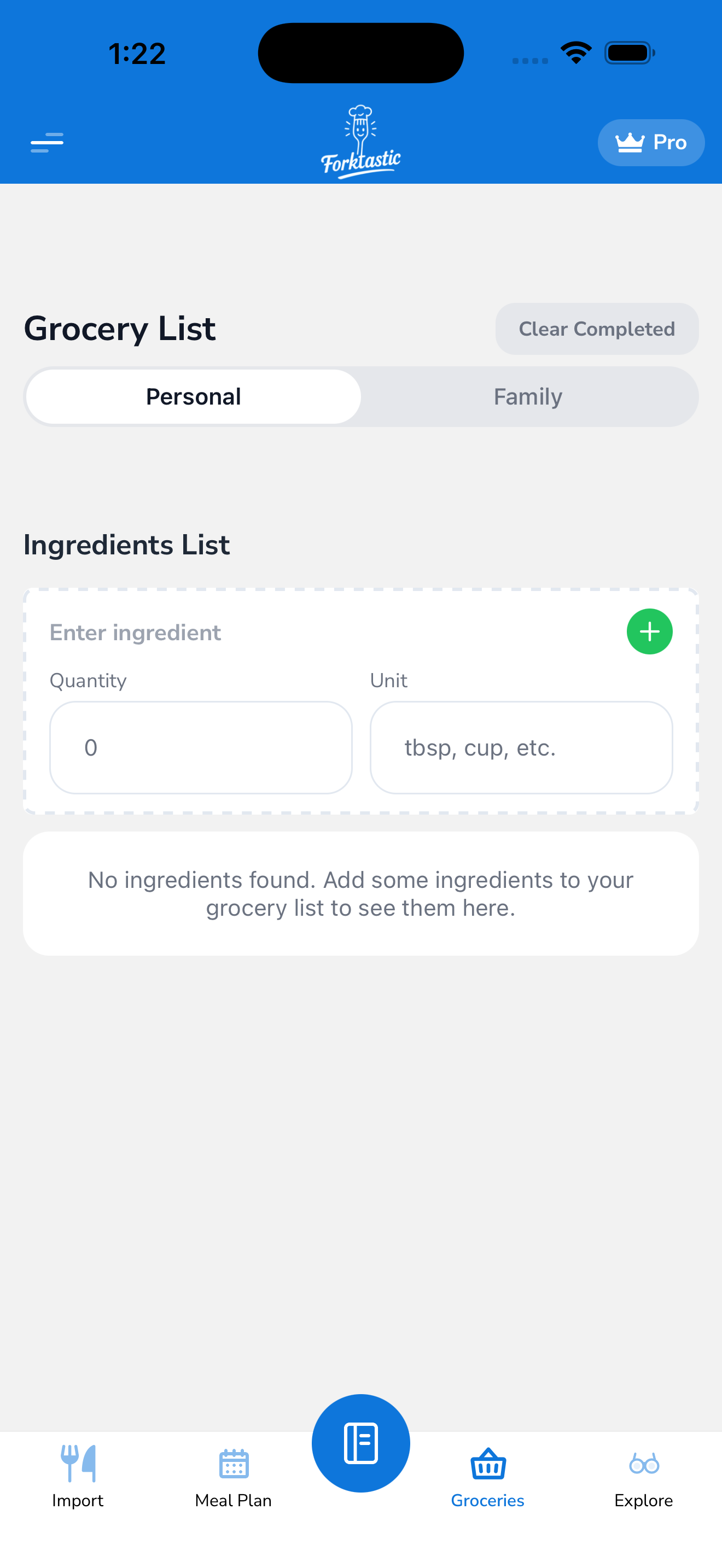
- Open the Grocery tab.
- Tap + Add item at the top (or the text field at the bottom of the list, depending on your app version).
- Type the item. Forktastic accepts free-form text and parses what it can:
- “2 lb chicken thighs” → 2 lb chicken thighs
- “1 dozen eggs” → 1 dozen eggs
- “Milk” → 1 milk (no quantity inferred)
- “Paper towels” → paper towels (no unit; that’s fine)
- Press Enter (or tap the + button) to add it.
The item appears in the list, sorted into a category Forktastic auto-detects (Dairy, Produce, Meat, Pantry, Household, Other).
Add many items at once
To bulk-add (e.g., from a text shopping list you got from someone):
- Tap + Add item.
- Type or paste multiple items, separated by newlines:
2 lb apples1 gallon milkbreadolive oilpaper towels
- Press the paste-detected confirmation, or tap + Add all at the bottom of the multiline input.
Each line becomes one item, with quantities/units parsed where present.
Edit an item
Tap any item in the list to open its detail:
- Quantity — change the amount
- Unit — change the unit (lb, oz, gallon, etc.)
- Name — fix typos or rename
- Category — move to a different section (auto-detection isn’t perfect)
- Notes — add a free-form note (“organic if possible”, “store brand is fine”)
Tap Save to commit, or Delete to remove from the list.
Categories
Items auto-sort into categories so you can shop section by section in the store:
- Produce — fruits, vegetables, fresh herbs
- Dairy — milk, cheese, yogurt, eggs (yes, even though biologically eggs aren’t dairy — most stores group them with dairy)
- Meat — beef, chicken, pork, fish, seafood
- Pantry — dry goods, canned, packaged
- Frozen — anything in the frozen section
- Bakery — bread, pastries, fresh-baked
- Household — non-food items (paper goods, cleaning, toiletries)
- Other — anything Forktastic couldn’t classify
You can re-categorize manually by tapping the item and changing Category. Forktastic learns from your corrections over time (e.g., if you always re-categorize “tofu” from Pantry to Produce, future tofu items go to Produce).
Sort and group
By default, the list is grouped by category. Change in Grocery → Sort:
- By category (default) — Produce first, then Dairy, etc.
- By recipe — groups items by which recipe they came from (useful when prepping for multiple recipes; less useful at the store)
- Alphabetical — flat list, A–Z
- By date added — newest first
Related
- Auto-populate from a recipe — for recipe ingredients
- Auto-populate from your meal plan — for a whole week
- Check items off as you shop — the shopping experience