
Create a cookbook
Cookbooks are named collections of recipes — like “Weeknight Dinners”, “Mom’s Recipes”, or “Holiday Baking”. You can have as many as you want, and the same recipe can live in multiple cookbooks.
By default, every newly-imported recipe lands in your Unorganized cookbook. Creating named cookbooks lets you move recipes into the structure that actually matches how you cook.
Step by step
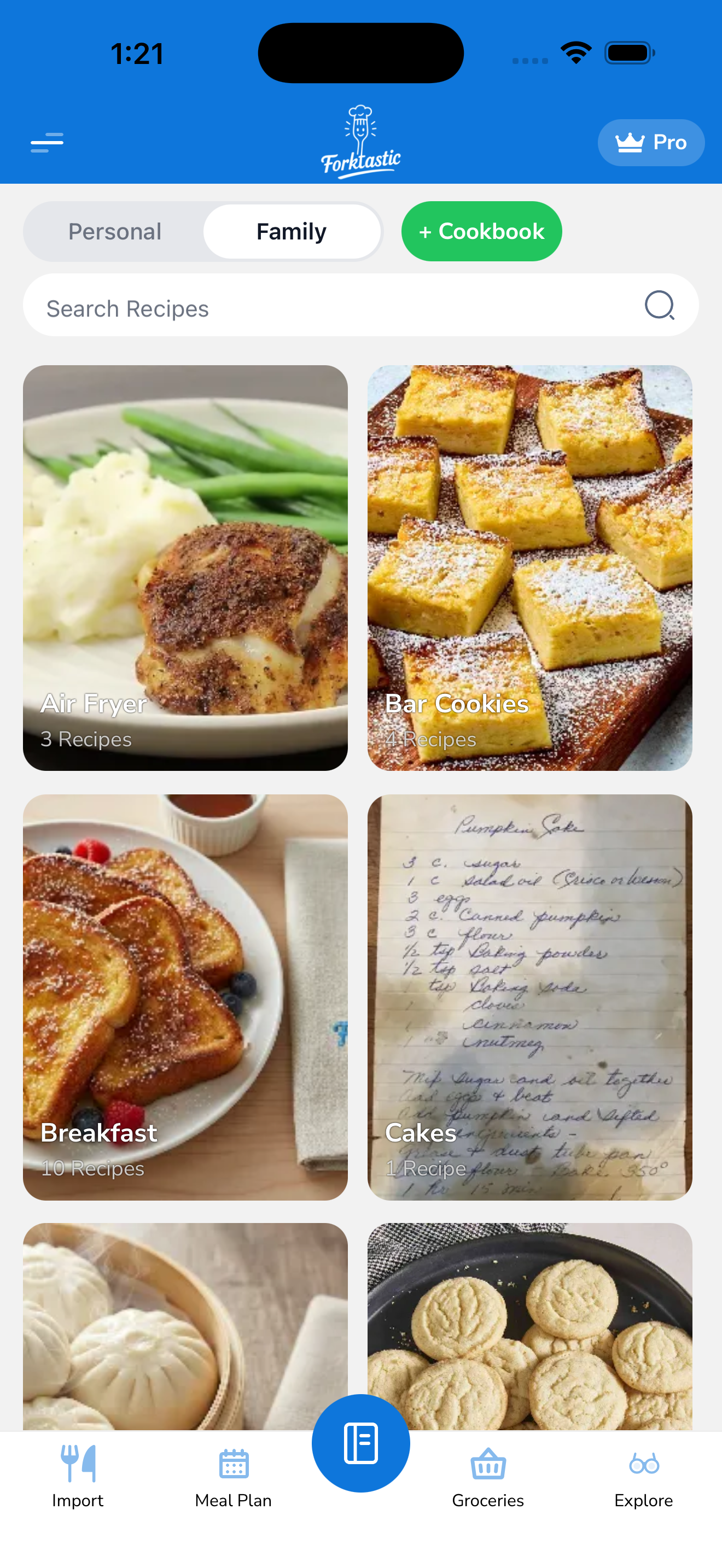
- Open the Cookbook tab (first tab in the bottom bar).
- Tap the + Create cookbook button at the top of the screen.
- Fill in:
- Name — what to call this cookbook (required). Visible to you and to family members if you share it.
- Cover image — optional. Tap to choose from camera, library, or use a Forktastic preset (a food illustration that matches the cookbook’s theme).
- Color — pick from a palette. The color shows on the cookbook’s tile in your Cookbook tab and gives a visual cue when scanning your list.
- Tap Create.
The new cookbook appears at the top of your Cookbook tab, empty and ready for recipes.
Naming suggestions
A few patterns that work well:
- By occasion: “Weeknight Dinners”, “Sunday Brunch”, “Holiday Baking”, “BBQ”
- By cuisine: “Mexican”, “Italian”, “Korean”, “Indian”
- By person: “Mom’s Recipes”, “Grandma’s Cookbook”
- By diet: “Vegetarian”, “Low-carb”, “Kid-friendly”
- By collection source: “Imported from Paprika”, “Mom’s emails”, “TikTok finds”
You can rename a cookbook any time — see Rename or delete a cookbook.
Optional: shared with family from the start
If you’re in a family group and want the new cookbook visible to everyone from day one:
- Toggle Share with family on while creating.
- Pick which family if you’re in more than one.
The cookbook starts empty, but as soon as you add recipes, they’re visible to family. See Share cookbooks and recipes with family for the full sharing model.
After creating
Once the cookbook exists, you can:
- Add recipes — see Add recipes to a cookbook
- Share it — see Share cookbooks and recipes with family
- Make a PDF of it — see Make a PDF cookbook
- Rename or delete it — see Rename or delete a cookbook
Limits
There’s no limit on the number of cookbooks you can create on either the free or Pro tier. Cookbooks themselves cost nothing — the free tier limit applies to imported recipes (5 on free), not cookbooks.
Related
- Add recipes to a cookbook — once you have a cookbook
- Browse public cookbooks — Explore tab discovery