
View a recipe
Tap any recipe in your cookbook (or in Explore, or in a family-shared cookbook) to open the recipe detail view. This is where you’ll spend most of your time when actually cooking.
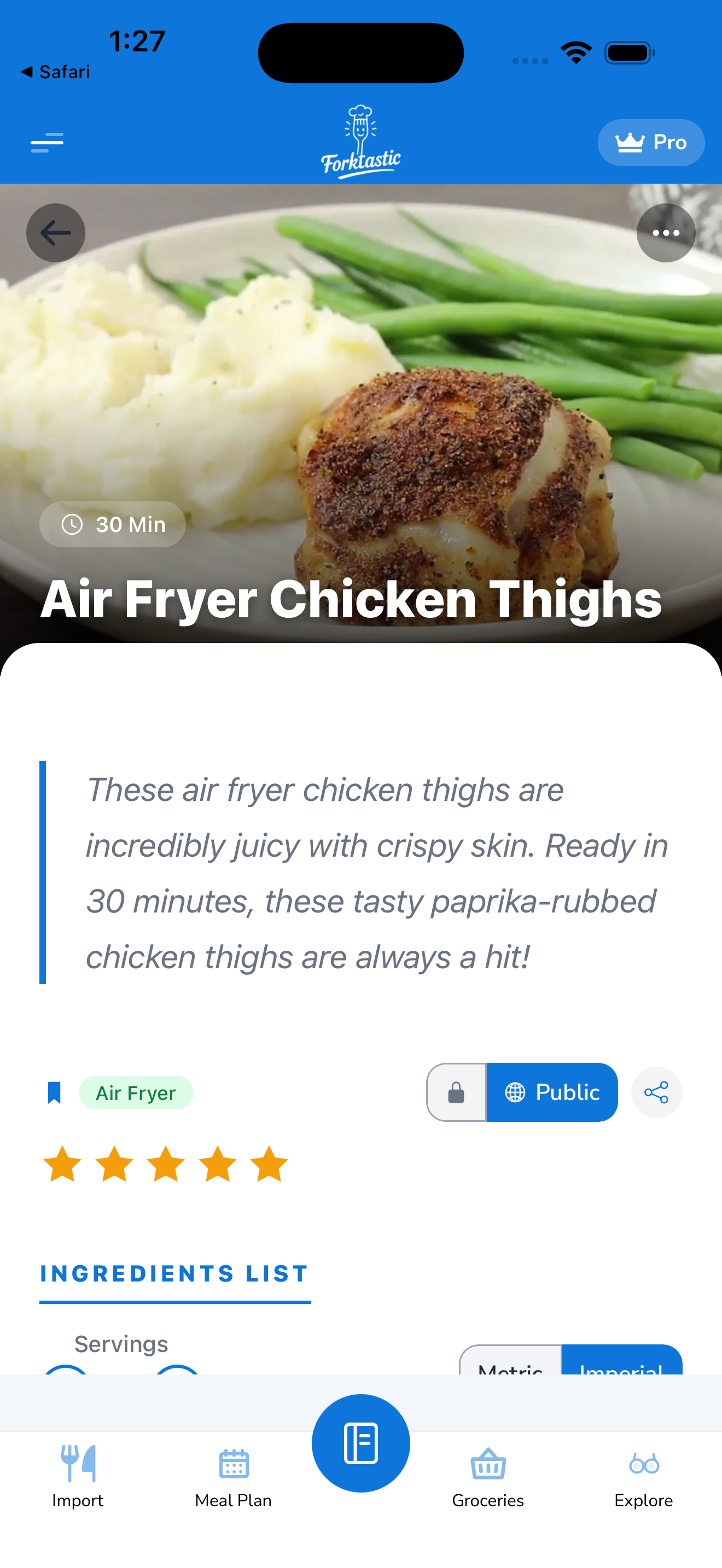
What’s on the recipe screen
From top to bottom, the recipe view shows:
- Cover image — the recipe’s photo. Tap to view full-screen, swipe down to dismiss.
- Title — the recipe name. Long-press to copy.
- Author — who saved the recipe. If it’s yours, your name. If it’s from family or Explore, the original creator’s name.
- Meta strip — servings, prep time, cook time, total time, calories per serving.
- Action bar — buttons for the most common things:
- Cook — start Cook Mode hands-free
- Add to plan — schedule this recipe in your meal plan
- Add to grocery — copy ingredients to your grocery list
- Share — share with family, send a link, or export as PDF
- Edit — open in the editor
- More (…) — additional actions including delete, duplicate, print
- Ingredients — full list with quantities and units. Tap any ingredient to check it off (useful while shopping or cooking).
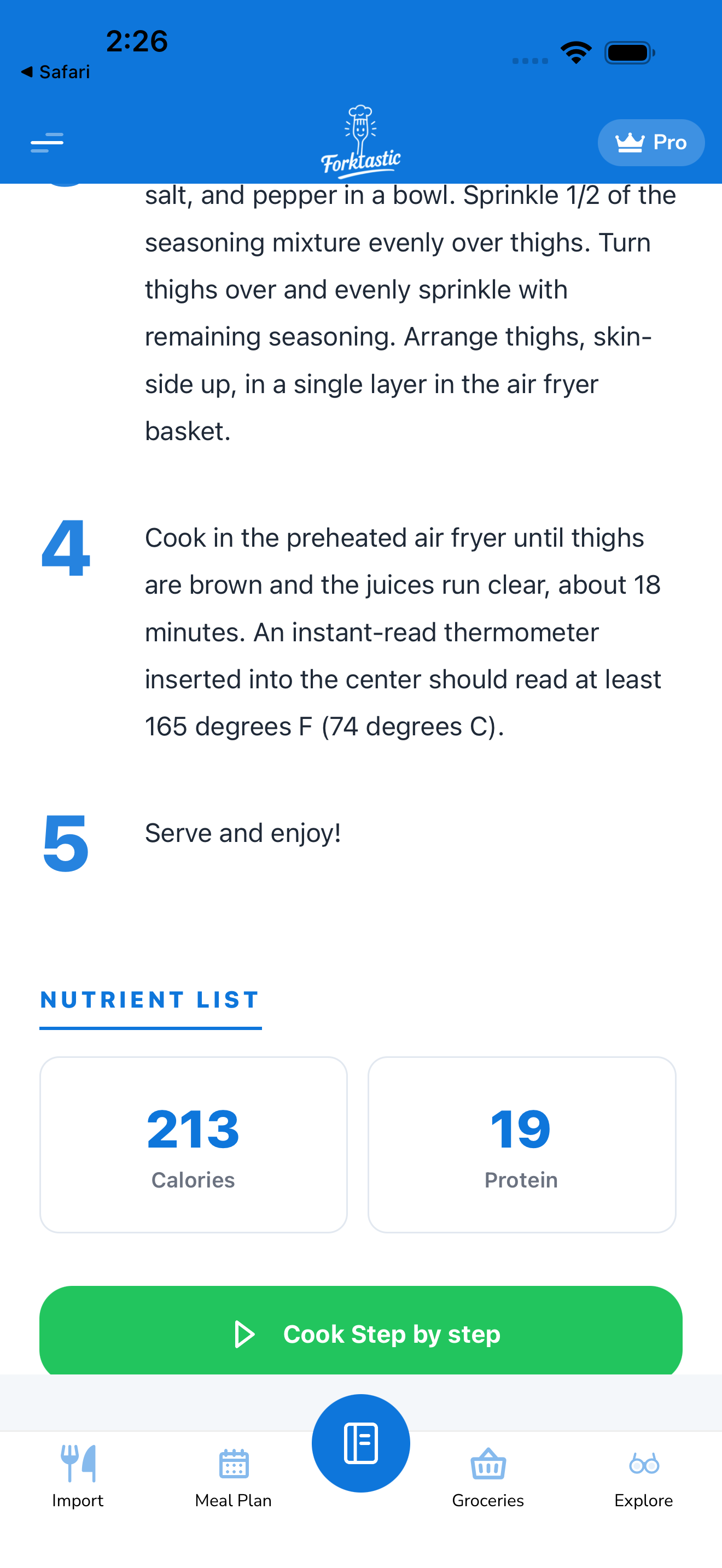
- Instructions — numbered steps. Each step is its own card; you can tap to expand or check off.
- Nutrition — per-serving calories, macros (protein, carbs, fat), and micros where available.
- Categories & tags — what the recipe is tagged with (e.g., “Vegetarian”, “Dinner”, “30-minute meals”).
- Source link — if the recipe was imported, a link back to the original URL.
- Notes — any personal notes you’ve added (private, only you see them).
Quick actions
Some things you do often have a one-tap shortcut:
- Save to a different cookbook: tap More → Move to cookbook
- Print: tap More → Print. Opens the iOS / Android print sheet.
- Save as PDF: tap More → Save as PDF. Generates a single-recipe PDF (different from a full PDF cookbook — this is just one recipe).
- Duplicate: tap More → Duplicate. Useful as a starting point for a variation.
On family-shared recipes
If you’re viewing a recipe shared by a family member, the action bar is slightly different:
- Edit is hidden (you can’t edit someone else’s recipe; you can duplicate it to your own cookbook and edit the copy)
- Delete is hidden (you can remove the shared cookbook, but not the recipe inside)
See Share cookbooks and recipes with family for how shared content works.
Photo gallery
If a recipe has multiple photos (cover + step photos + your own snaps), tap the cover image to enter the gallery. Swipe left/right between photos. Tap Add photo at the bottom to add your own from camera or library — useful for recording how your version turned out.
Related
- Adjust servings — scale ingredients up or down
- Switch between metric and imperial
- Rate and review a recipe
- Share a recipe